10 Best Free Online Tools for Creators
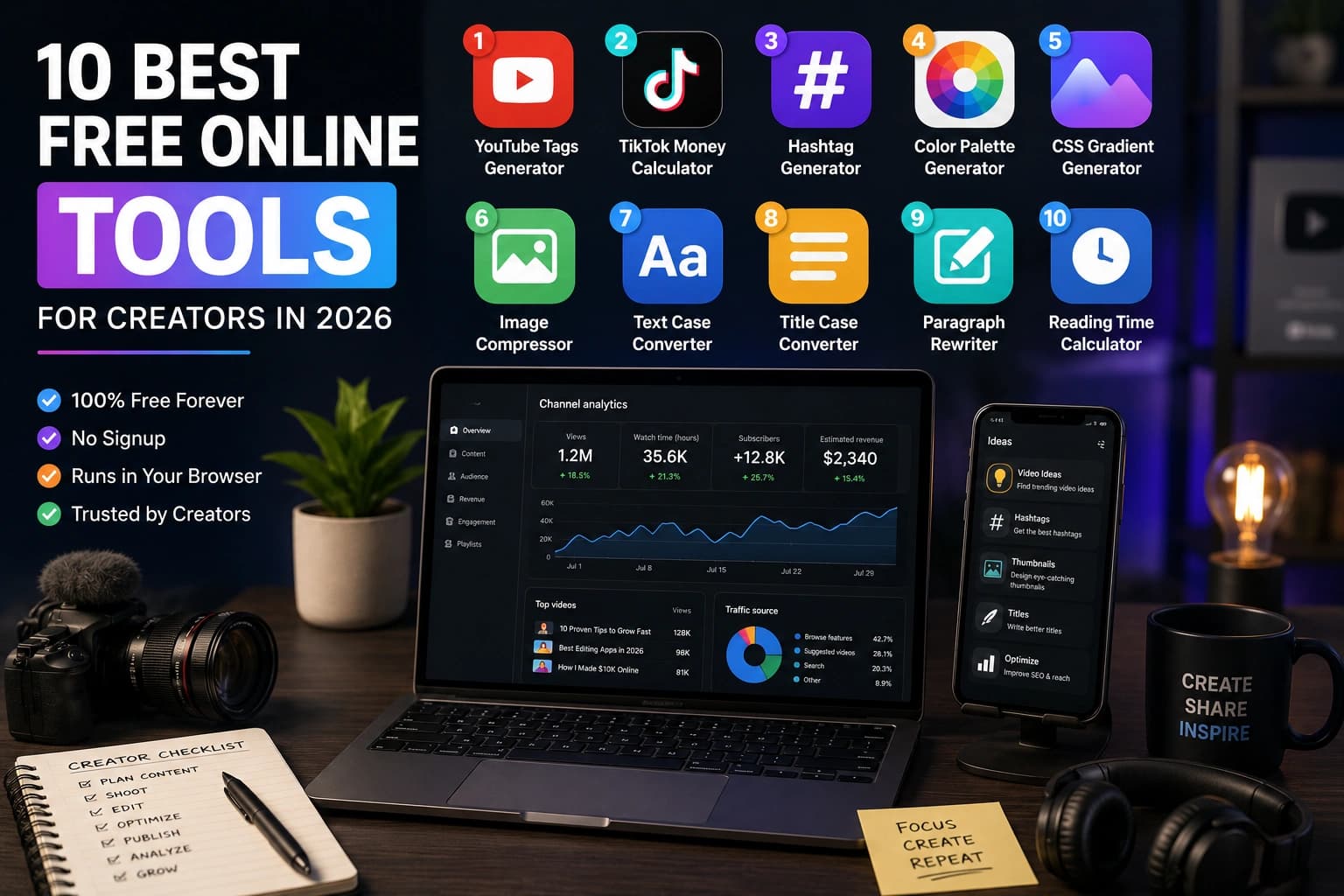
If you create content (videos, posts, blogs, designs), your toolkit matters as much as your ideas. The right free tool can save hours every week. The wrong one can quietly drain your energy and your bandwidth. After testing dozens, here are the ten we keep coming back to.
We picked them with three rules in mind: they should be free to use, easy to open in a browser, and focused on one clear job. Some tools run fully on your device; AI and server-backed tools explain their privacy notes on their own pages.
Why free tools beat paid bloat
Most creators do not need a 12-app subscription stack for every task. A focused browser tool is often enough for tagging a video, checking a caption length, compressing a thumbnail, or creating a QR code for a link.
The tools below share three qualities: they do one job well, they open instantly without installing anything, and they do not require an account. Some run entirely in your browser, meaning nothing you enter or upload ever leaves your device. AI tools process your brief on a server and explain exactly what they use and discard on each tool page.
The best tool is the one you'll actually open tomorrow morning.
1. YouTube Tags Generator: better discovery, less guessing
Tags still influence YouTube's recommender, especially for newer channels. Use the Sounez YouTube Tags Generator to spin up SEO-friendly tags from a single keyword. Pair it with a clear title and thumbnail, then review the tags for relevance. According to YouTube's own guidance, tags help viewers find your content when they search for related terms.
The key is relevance over volume. Generate 25 tags, then remove any that do not match the actual content of the video. Mismatched tags can confuse the algorithm and lower audience satisfaction scores. Keep a branded tag in every upload to build a searchable series over time. Read the creator growth playbook for more on platform algorithms.
2. TikTok Money Calculator: know what you're worth
Sponsorship pricing depends on audience, niche, usage rights, and deliverables. The TikTok Money Calculator gives a rough estimate based on followers and engagement so you can sanity-check a starting range before a negotiation. Use it as a floor, not a ceiling — the real rate depends on your niche, the brand's budget, exclusivity, and deliverable complexity.
Track actual paid deals separately in a spreadsheet. After a few campaigns, your real rate history matters more than any formula. The calculator is most useful early on, when you have no reference point at all and need to respond to a brand inquiry quickly.
3. Hashtag Generator: build a focused tag set
Skip manual research. The Hashtag Generator mixes high-volume, niche and trending tags so you have a draft set to trim for the specific post. The common mistake is treating the generated list as final — review it, remove anything that sounds spammy or does not match your content, and add your own branded tag before posting.
Platform habits differ. On Instagram, 5–15 specific tags often outperform 30 generic ones. On TikTok, 3–6 focused tags per video is common. YouTube hashtags in the description appear as clickable links above the title, so keep them tightly relevant. Rotate your sets between posts so repeated content does not look automated.
4. Color Palette Generator: instant brand identity
Brand colors set the tone of every thumbnail, post and blog graphic. Build a cohesive palette with the Color Palette Generator before you make a batch of visuals. The tool generates complementary, analogous, and triadic schemes from a single starting color, and lets you extract a palette from an uploaded photo if you have an existing visual identity to match.
Once you have a palette, copy the hex codes into a sticky note or design file and reuse them consistently. Visual consistency across thumbnails, profile images, and story templates is one of the fastest ways to make a channel look professional without any design training. Read the best color palettes for modern design for the principles behind palettes that just work.
5. CSS Gradient Generator: beautiful backgrounds, zero design skills
Beautiful gradients without firing up Figma or Photoshop. Try the CSS Gradient Generator, copy the CSS, drop it into your site, done. Great for hero sections, social cards and Notion covers. The live preview updates as you drag stop positions, so you can see exactly how the gradient will look before committing to a direction.
For creators with a website or landing page, a well-chosen gradient can replace a stock photo behind a headline. One caution: always test text legibility against the gradient at both the lightest and darkest points before publishing. A subtle difference in contrast can make body text unreadable on some screens.
6. QR Code Generator: bridge offline and online
Promote your channel anywhere — business cards, packaging, slides, event posters, printed newsletters — with the QR Code Generator. Encode a URL, a YouTube channel link, a Wi-Fi password, or a WhatsApp number. The tool generates a 512px PNG ready for print, and lets you customize foreground and background colors to match your brand.
Before printing at scale, scan the finished QR code on at least two different phones in normal lighting. Low-contrast colors and small print sizes are the two most common reasons QR codes fail in the real world. Read the full QR code guide for placement, sizing, and tracking advice.
7. Word Counter: hit every platform's sweet spot
Every platform has an invisible ideal length. YouTube descriptions with 150–300 words perform better than single-sentence ones. TikTok captions are capped at 2,200 characters. Instagram bio fields allow 150 characters. LinkedIn articles tend to perform well at 1,500–2,000 words. The Word Counter shows words, characters, sentences and estimated reading time at once — paste your draft and check all four before publishing.
8. Password Generator: protect everything you build
One leaked password can wipe out years of work — your YouTube channel, your social accounts, your sponsorship email, your bank. Protect every account with a strong, unique password using the Password Generator. It uses the browser's cryptographic API for genuinely random output, not a predictable pattern.
The rule is simple: generate a unique password for every account, store it in a password manager like Bitwarden (free) or 1Password, and never reuse. Want a complete security system for creators? Read how to create a strong password for the full approach including 2FA.
9. Text Case Converter: fix typos and titles in one click
Fix accidentally caps-locked captions, convert blog titles to title case, or turn ALL CAPS press release text into sentence case with the Text Case Converter. It also handles camelCase and kebab-case for developers who manage their own sites or use template variables. Tiny tool, massive time-saver during publishing days when you are copying text from multiple sources.
10. Image Compressor: faster pages, better SEO
Heavy images slow down blogs, landing pages, and image-heavy posts — and page speed directly affects both bounce rate and SEO. The Image Compressor re-encodes images locally in your browser with no upload to a server, so you can compress product shots, thumbnails, and hero images without any privacy concern. It supports batches of up to 20 images and can output WebP, which typically produces a noticeably smaller file than an equivalent-quality JPEG.
Set quality to 80–85% for photos where detail matters, and 70–75% for screenshots where small artifacts are less noticeable. Keep the original files until you have confirmed the compressed version looks right at the actual display size. Read how to compress images without losing quality for the complete method including format choice.
Which tools to use, by platform
Not every tool applies to every creator. Here is a quick reference based on where you publish:
- YouTube creators: YouTube Tags Generator, Word Counter (descriptions), Image Compressor (thumbnails), Password Generator (channel security), QR Code Generator (community posts and merch)
- Instagram and TikTok creators: Hashtag Generator, AI Caption Generator, TikTok Money Calculator (sponsorship rate checks), Color Palette Generator (consistent visual identity)
- Bloggers and newsletter writers: Word Counter, Image Compressor, CSS Gradient Generator (hero sections), Color Palette Generator, Text Case Converter (heading formatting)
- Creators with a website or shop: QR Code Generator, Favicon Generator, Color Palette Generator, Image Compressor, CSS Gradient Generator
When a free browser tool is enough, and when it is not
Most categories in this list also have paid, account-based competitors (channel-management suites, scheduling platforms, design ecosystems). This guide will not quote their current pricing or feature lists — those change too often to keep accurate here, and we would rather send you to compare live than publish a stale table. The pattern that generally holds:
- Account-based tools win on analytics. If a product ties into your actual YouTube, Instagram, or TikTok account, it can show you which tags or hashtags actually drove reach for your specific content over time. A stateless browser tool like the YouTube Tags Generator or Hashtag Generator cannot do that — it has no account layer to track performance against, which is also why it opens instantly with nothing to log into.
- Dedicated compression tools win on control. A specialist image tool with a detailed before/after quality slider and deep codec options gives more precision than a general-purpose tool. The Image Compressor trades some of that precision for staying fully local — your files never leave your browser — and batch support for up to 20 images at once.
- Design ecosystems win on collaboration. A full design platform with a saved-palette community or a Creative Cloud integration is the right call when a team needs to share and iterate on a system together. The Color Palette Generator is built for the smaller, common case: get from one hex code to a usable palette in seconds, with no account or app required.
- Dynamic QR services win when the destination needs to change after printing. Some paid QR platforms let you edit where a printed code points after it is already on a flyer or product. The QR Code Generator makes a static code — fine for most business cards, event slides, and media kits, but pick a dynamic service instead if you expect to redirect the link later.
The short version: reach for a paid, account-based tool when you need analytics, team collaboration, or an editable destination after publishing. Reach for the free tools above when you want a fast, private, one-off result — which covers most day-to-day creator work.
How to combine these tools into a creator workflow
The tools are most useful when they support a consistent publishing routine. Here is a practical YouTube-to-TikTok cross-posting workflow:
- Draft the video title, then check character count with Word Counter — keep it under 60 characters for clean display in search results
- Generate tags with the YouTube Tags Generator, remove off-topic tags, keep 15–20 that are genuinely relevant
- Build a thumbnail colour palette with the Color Palette Generator and reuse it across the series
- Compress the finished thumbnail with the Image Compressor — aim under 200 KB at 1280×720
- Cross-post a clip to TikTok with hashtags from the Hashtag Generator, keeping 3–5 specific tags
That is a full publishing pipeline using only free, browser-based tools. Browse all creator tools or every category for more.
Frequently Asked Questions
Are these tools free to use?
Yes. The listed tools are free to use, and most do not require an account. Browser, device, and fair-use limits may still apply on AI-powered tools like the caption generator.
Do I need to install anything?
No. Every tool runs in your browser on desktop or mobile. Nothing to download or install. Open, use, close.
Are these tools safe to use with my content?
Yes. Browser tools like the Image Compressor, Word Counter, and Password Generator process everything locally on your device — files and text never touch a server. AI tools like the caption and bio generators send only your brief text to process a response, explain this on their pages, and do not retain your input after the response is returned.
Which tool should I start with?
If you make videos: YouTube Tags Generator. If you publish on social: Hashtag Generator. If you are building a consistent visual brand: Color Palette Generator. If you upload images anywhere: Image Compressor.
Do you add new tools?
Yes. New tools are added when there is a clear practical use case for creators or makers. Bookmark the tools page and check back, or follow the blog for updates.
Can I use tool output commercially?
Yes. Palettes, gradients, CSS, QR codes, and favicons you generate are yours for commercial and personal use. AI-generated text (captions, bios, names) should be reviewed and edited before commercial publication — you are responsible for accuracy and compliance.
Conclusion: pick three, build a habit, then layer in more
Do not try to adopt all ten at once. Pick the three that match what you publish most, bookmark them, and let them quietly speed up your week. Once they are part of muscle memory, layer in the rest. If you publish video: start with YouTube Tags and the Image Compressor. If you publish on social: start with the Hashtag Generator. If you are building a site: start with the Color Palette Generator. Everything else plugs into those foundations.
Found this article useful?
Written by
Nesou is a web developer and independent creator who built Sounez from scratch in 2024. The site covers practical browser tools for image editing, CSS design, social media publishing, file conversion, and everyday productivity — all written and maintained by a single developer with a focus on privacy-first, account-free tooling. About Sounez · GitHub
Ready to put this into action?
Open YouTube Tags Generator and try it now. Free, no account needed.