How to Create a Favicon for Your Website
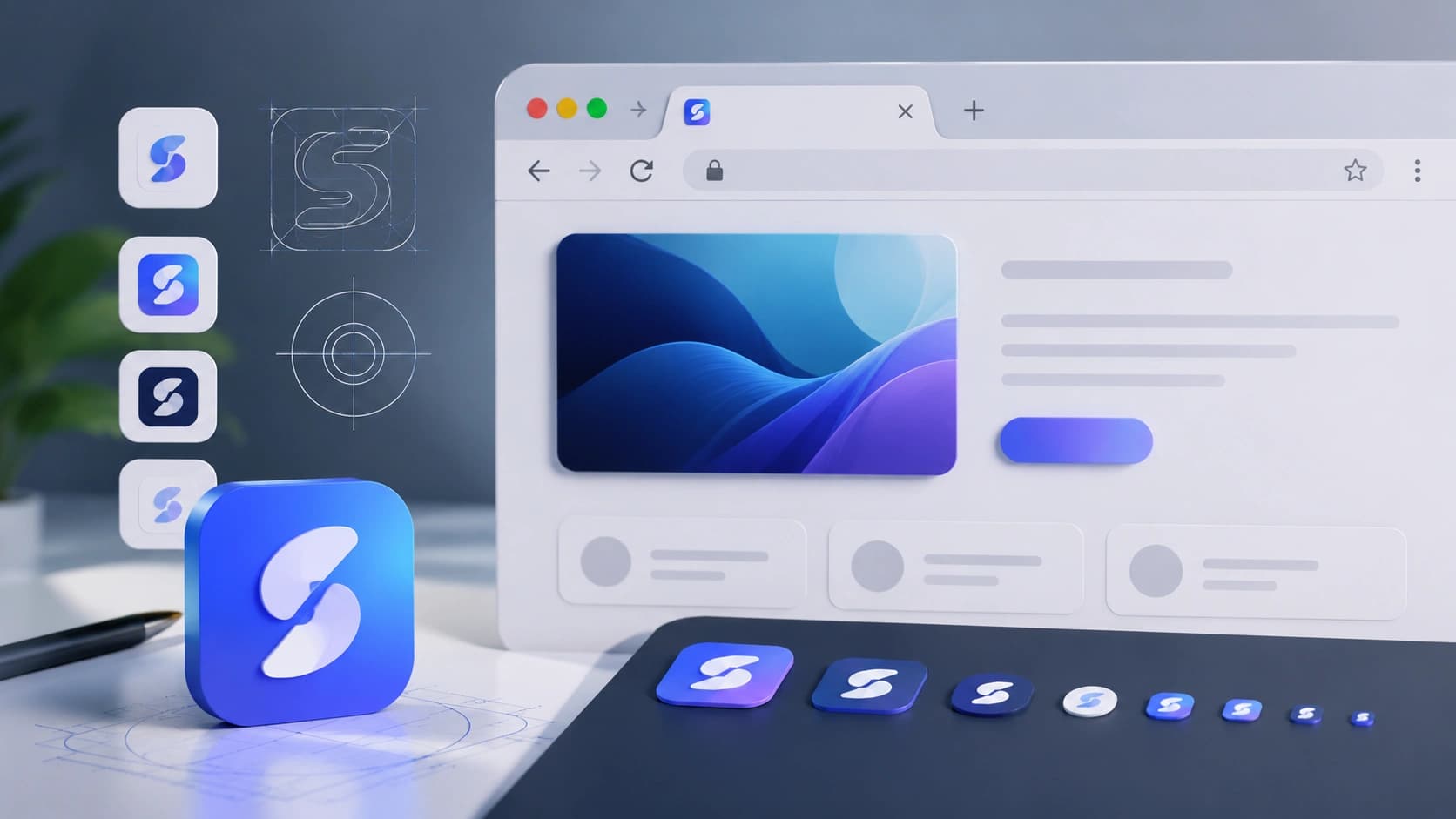
A favicon is a small thing with a big impact. It appears in browser tabs, bookmarks, search results, home screen shortcuts and browser history. A missing or blurry favicon signals an unfinished website. A clean, recognizable one reinforces your brand every time someone switches tabs.
This guide covers what a favicon is, why it matters, the sizes you need, the PNG vs ICO debate, and how to create one using the free Favicon Generator in under two minutes.
What is a favicon?
The word "favicon" comes from "favorite icon", it was originally the icon shown when you bookmarked a page in Internet Explorer. Today it appears in:
- Browser tabs (the tiny icon next to the page title)
- Bookmarks and reading lists
- Browser history
- Search engine results (some engines show it next to the URL)
- Home screen shortcuts on iOS and Android
- Progressive Web App (PWA) icons
Why favicons matter for branding
Most users have 10-20 tabs open at once. A recognizable favicon is how they find your site again without reading the full title. It is also a trust signal, a site without a favicon looks unfinished or abandoned.
A favicon is the smallest piece of your brand identity. It shows up everywhere your URL does.
Recommended favicon sizes
- 16x16px: Standard browser tab icon
- 32x32px: High-DPI browser tabs, taskbar shortcuts
- 48x48px: Windows site icons
- 180x180px: Apple touch icon (iOS home screen)
- 512x512px: PWA manifest, Android home screen
At minimum, create a 32x32 PNG for browser tabs and a 180x180 PNG for Apple touch icons. The Favicon Generator lets you export any of these sizes with one click.
PNG favicon vs ICO favicon
The original favicon format was ICO, a Windows icon container that can hold multiple sizes in one file. For years, browsers required an ICO file at the root of the domain (/favicon.ico).
Today, all modern browsers support PNG favicons declared with a <link> tag. PNG is simpler to create, easier to optimize, and works everywhere that matters. The only reason to still provide a /favicon.ico is for very old browsers and automated tools that request it by default.
The recommended approach: provide a PNG favicon via the HTML link tag, and optionally place a 32x32 ICO at /favicon.ico as a fallback.
The HTML snippet you need
Add these lines to the <head> of your HTML:
<link rel="icon" type="image/png" href="/favicon.png" />
<link rel="apple-touch-icon" href="/apple-touch-icon.png" />
The Favicon Generator copies this snippet for you with one click.
How to use the Favicon Generator
- Open the Favicon Generator.
- Choose a mode: Text (a letter or initials), Emoji, or Image upload.
- Set your background color, text/icon color, and shape (square, rounded or circle).
- Select the export size you need (32x32 for browser tabs, 180x180 for Apple touch).
- Click Download PNG to save the file.
- Click Copy HTML snippet and paste it into your site's
<head>.
Favicon design best practices
Designing for 32x32 pixels is an entirely different discipline from regular graphic design. Every pixel is visible at that scale. Here is how to approach it:
- Use a single letter or monogram: The first letter of your brand name, set in a bold font, is one of the most reliable favicon approaches. It reads clearly at any size and instantly identifies the brand. Pick a font weight that fills the space well.
- Use a simplified icon or symbol: If your logo has a distinctive mark or symbol, isolate it and remove all detail that won't be visible at small sizes. Thin lines, fine gradients and small text all disappear at 32x32.
- Use an emoji: Emoji favicons are a fast, modern alternative. They render crisply at all sizes and communicate personality without graphic design effort. Many successful SaaS products and personal sites use emoji favicons.
- Background matters: A colored background behind your letter or icon helps it stand out in a browser tab against both light and dark browser chrome. Rounded corners and circle shapes feel modern and integrate well with tab designs.
- Test in a real browser tab: The Favicon Generator shows a real-time preview, but always test the downloaded file in an actual browser tab before publishing. The tiny scale reveals issues that are invisible in the generator preview.
Progressive Web App (PWA) icons
If your site is or will become a Progressive Web App — a site that can be installed on a device like a native app — you need additional icon sizes declared in your web app manifest:
{
  "icons": [
    { "src": "/icon-192.png", "sizes": "192x192", "type": "image/png" },
    { "src": "/icon-512.png", "sizes": "512x512", "type": "image/png" }
  ]
}
Generate both sizes with the Favicon Generator and reference them in your manifest.json. The 512x512 version is also used by Android home screens and Google Search on mobile.
Common favicon mistakes to avoid
- Too much detail: At 16x16px, complex logos become unreadable. Use a single letter, symbol or simple shape.
- No contrast: A light icon on a white background disappears in browser tabs. Use strong contrast.
- Wrong size: Uploading a 16x16 image and expecting it to look good at 180x180 will result in a blurry icon. Generate each size separately.
- Forgetting the Apple touch icon: iOS users who add your site to their home screen will see a blank icon if you skip the 180x180 version.
- Not updating after a rebrand: Old favicons cached in browsers can confuse returning users after a brand refresh.
Frequently Asked Questions
What is a favicon?
A favicon is the small icon shown in browser tabs, bookmarks, search results and home screen shortcuts.
Do I need an ICO file?
Not anymore. Modern browsers support PNG favicons. Use PNG with the correct HTML link tag and you will cover 99% of users.
What size should a favicon be?
Create at least a 32x32 PNG for browser tabs and a 180x180 PNG for Apple touch icons.
Does the Favicon Generator upload my image?
No. Everything is processed locally in your browser using the Canvas API. Your image never leaves your device.
Can I use an emoji as a favicon?
Yes. Emoji favicons are a popular modern technique. The Favicon Generator supports emoji mode directly.
Conclusion: two minutes, done
A favicon is one of the quickest wins in web development. Open the Favicon Generator, pick a letter or emoji, choose your brand color, download the PNG and paste the HTML snippet. Your site will look finished in every tab, bookmark and search result. Pair it with a consistent color palette from the Color Palette Generator for a cohesive brand identity.
Found this article useful?
Written by
Nesou is a web developer and independent creator who built Sounez from scratch in 2024. The site covers practical browser tools for image editing, CSS design, social media publishing, file conversion, and everyday productivity — all written and maintained by a single developer with a focus on privacy-first, account-free tooling. About Sounez · GitHub
Ready to put this into action?
Open Favicon Generator and try it now. Free, no account needed.